Where to buy
Every item under its cheapest store
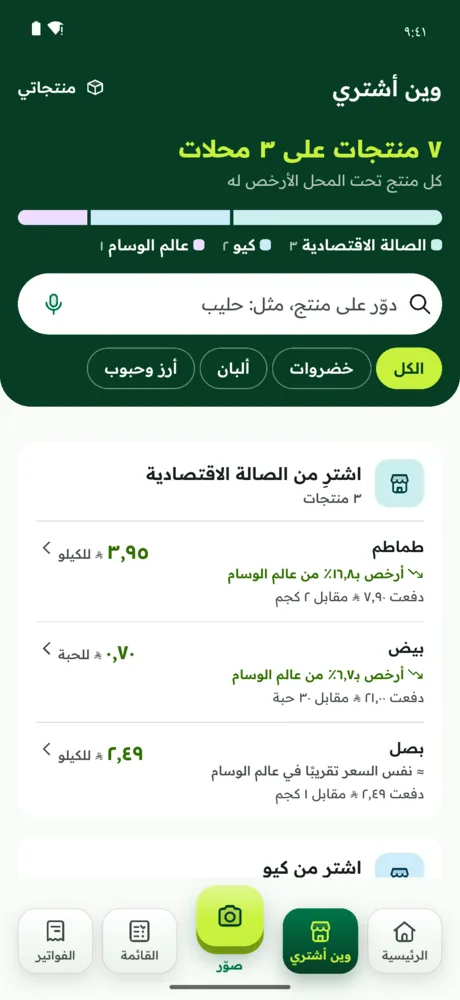
One screen groups your shopping by store: tomatoes and onions from here, milk from there, with the saving on each item.
Free No account · Your data stays on your phone
Awfar is a grocery price comparison app for Saudi Arabia that works from your own receipts: it reads each receipt line by line, links the same product across stores, and works out the price per kg, litre and piece, so you know where to buy everything for less.
No typing. The receipt in your pocket already has everything Awfar needs.
Photograph the receipt (long ones across several photos), pick images from your gallery, or import a PDF. The built-in receipt scanner, Awfar reading, picks up every line: name, quantity and price, with no key and no sign-in.
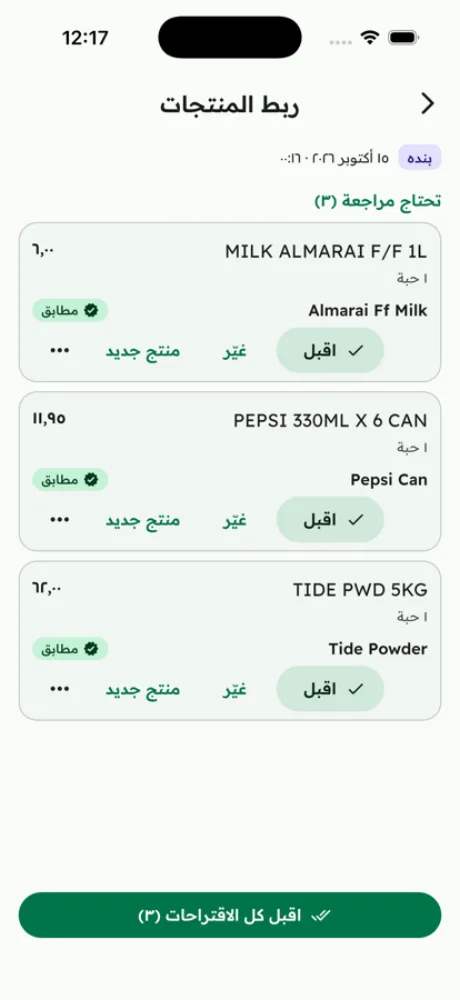
“MILK ALMARAI F/F 1L” here and “Almarai milk” there? Awfar suggests they're the same product. Accept with a tap, or fix it.
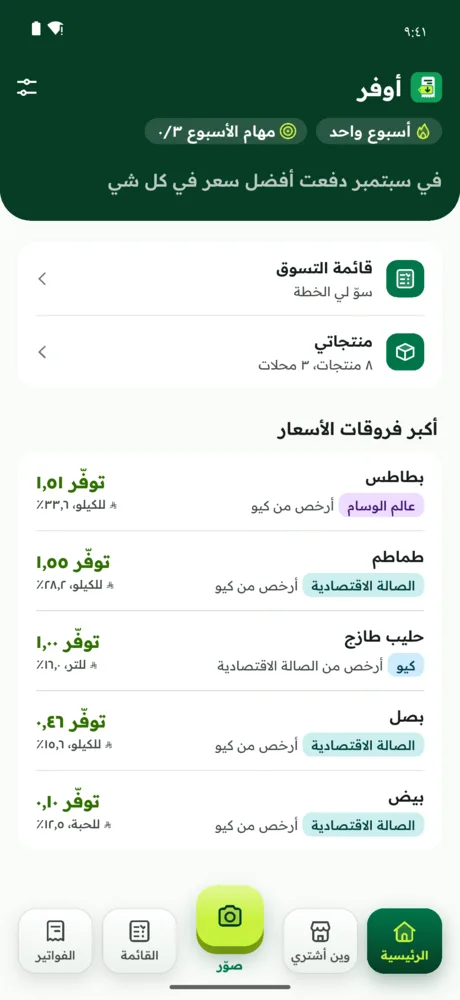
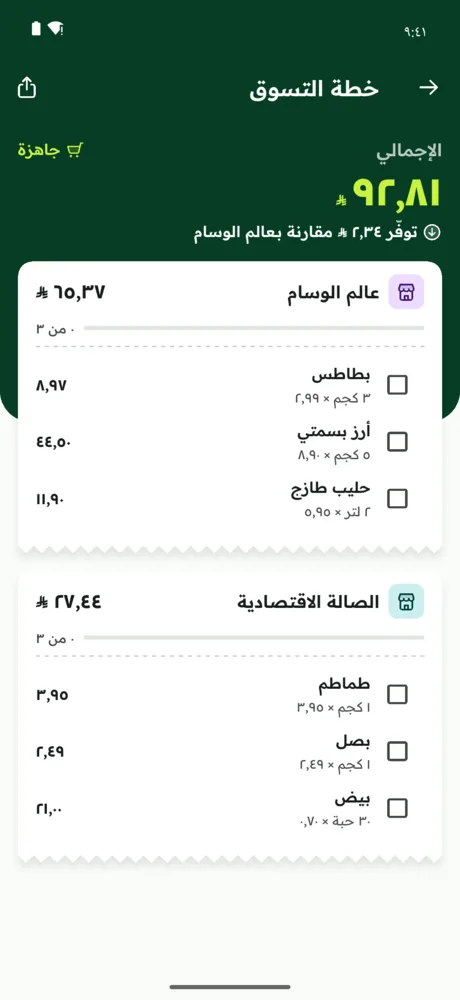
See the cheapest store for every item, a shopping plan that splits your list across one to three stores, and what you could have saved this month.
A fair way to compare supermarket prices, a grocery list, a price tracker and a household budget, all built on your own prices, not anyone's promotions.
One screen groups your shopping by store: tomatoes and onions from here, milk from there, with the saving on each item.
6.24SAR
A monthly household budget view: what you spent, your biggest price gaps, and exactly where the difference was.
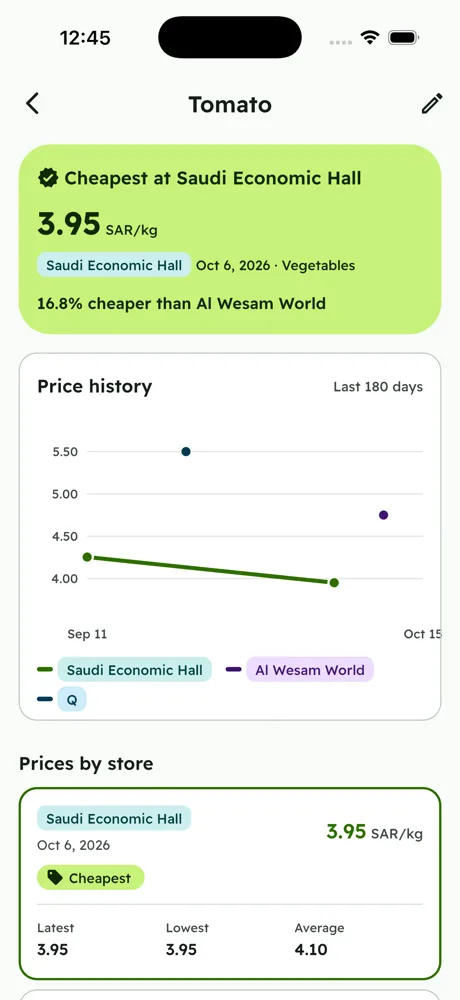
Pack sizes differ, so Awfar turns every price into one unit (kg, litre or piece) and tracks each store's price history: when it went up and when it dropped.
Write your grocery list, choose how many stores you're willing to visit, and Awfar finds the lowest total. You can even add a trip cost per store.
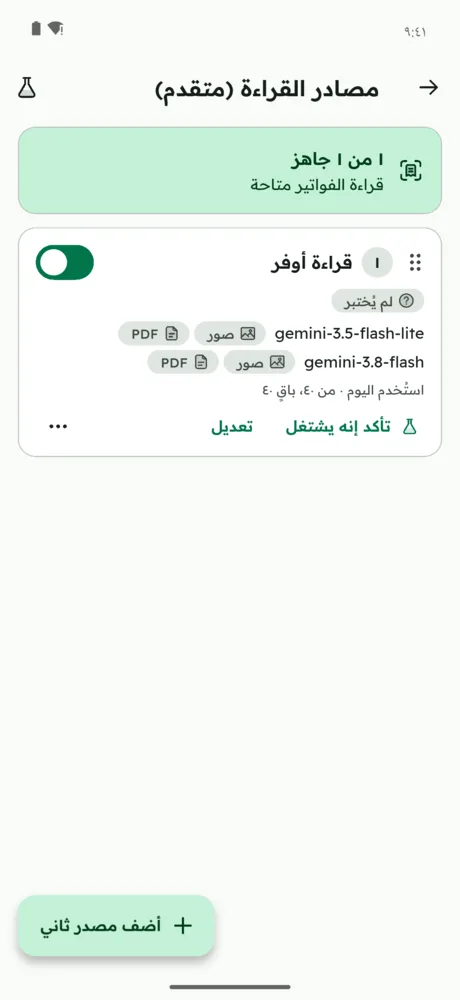
Reading is ready the moment you open the app: no key, no sign-in. If you like, add your own free key from any provider; when one source hits its limit, Awfar moves on to the next automatically.
Awfar readingGeminiOpenRouter
No account needed. Your receipts and prices live on your phone; a photo only goes to the AI provider you picked. If you want, keep a copy with your Google account so it comes back on a new phone.
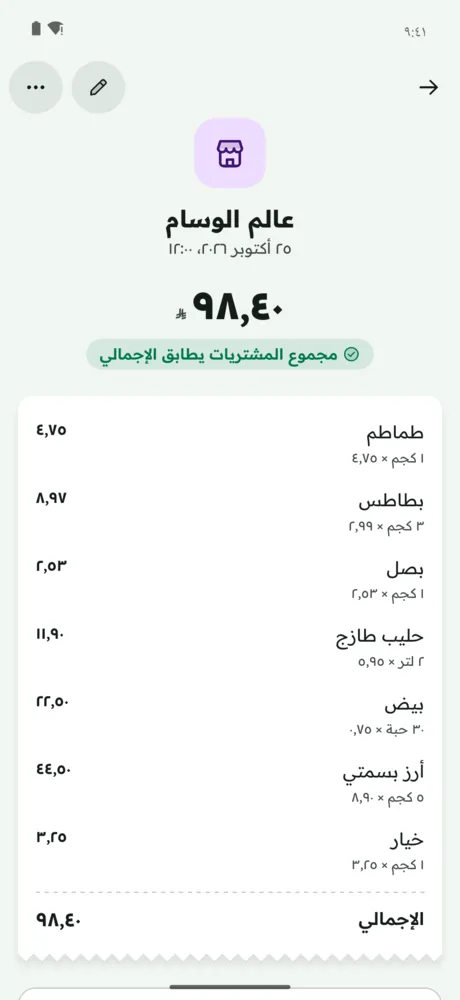
Before saving, Awfar checks that the line items match the receipt total and flags any missing or misread line.
Real screens from Awfar. The app is Arabic-first and fully available in English.
Awfar is free on Google Play for everyone in Saudi Arabia. Download it from Google Play.
Install it free from Google Play. No account, no sign-up.
Awfar (أوفر) is a free grocery price comparison app for Saudi Arabia. Snap your receipt and it shows where each item is cheaper among the stores you shop at, per kg, litre and piece, and splits your grocery list across the cheapest stores so you save money on groceries.
Yes. The Google Play version shows light ads, kept away from capturing and reviewing receipts. Receipt reading is built in (Awfar reading) with no key and no subscription, and its daily limit covers normal use. Details in the privacy policy.
On your phone. No account needed. A photo goes only to the reading source (Awfar reading through Google Gemini, or a provider you added) so it can be read; everything else stays local, and your keys are kept in the device's secure storage. If you choose «Save your data with a Google account» in Settings, a copy (without photos) is kept in Dammam and only you can read it.
Awfar reading is ready from the start and runs on Google's Gemini. If you like, add your own provider: Gemini, Groq, OpenRouter, Mistral, Cloudflare Workers AI and more, many with free tiers. Add several, and if one hits its limit or fails, Awfar moves on to the next automatically.
Any supermarket that gives you a receipt, printed or PDF. Awfar reads the receipt itself, so no store integration is needed. The more stores you shop at, the sharper the comparison gets.
All your data is on your phone, so you erase it in Settings → About Awfar → Delete my data, or by uninstalling the app. Details on the Delete your data page; any other question on the Support page.
Not always. When a receipt has deals or discounts, Awfar compares the unit price after the discount with other stores, so you know whether it really saves you money.
Yes. Awfar works in Riyadh, Jeddah, Makkah, Madinah, Dammam, Khobar and across the Kingdom, with any supermarket, hypermarket or grocery store that gives you a receipt, such as Panda, Othaim, Danube, Tamimi, LuLu and Carrefour. Store names are for illustration only; Awfar is not affiliated with any store.
For now Awfar is only on Google Play, so Huawei phones without Google services can't install it.
The iPhone version is coming to the App Store.
Get Awfar now. Free, no account needed.